Per-job team chat & 1:1 messaging
Keep site messages, decisions and photos with the job they belong to. Get mobile notifications on site and a clear inbox in the office.
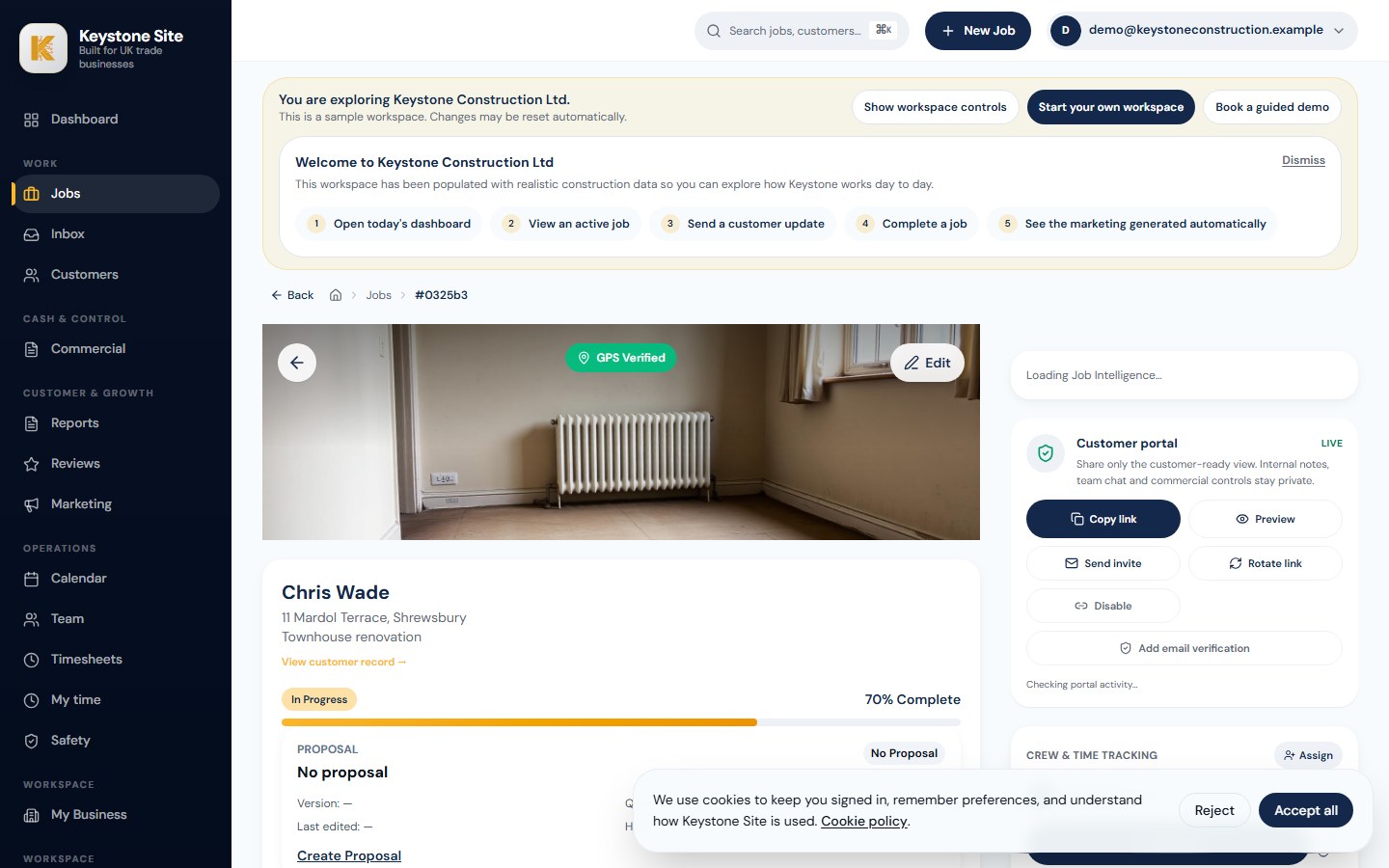
Explore a working construction job management workspace before you create your own. See how site updates, customer communication and job records come together.
Less lost information. Stronger proof. Faster sign-off. More reviews. A calmer office at the end of the day.
No card required. Understand the system first, or try Keystone on one live job.
Want help with the result? Book an Optional Guided Walkthrough. Ready to test it on a live job? Start your 14-day free trial.

“Brilliant job — the extension looks fantastic.”
The best way to judge the difference is to try Keystone on one live job.
Keep the facts against the right job.
Record extra work while it is still fresh.
Give customers useful proof without hunting through WhatsApp.
Make sign-off and review follow-up easier.
Keystone Site was created through a collaboration between the MD of a multi-million-pound windows and conservatory company and his brother, who has spent 25 years building business systems and helping businesses run more smoothly.
That matters because this was not designed in a boardroom by people guessing what trades need.
It was built from the reality of running jobs, managing teams, dealing with customers, keeping records, protecting margins and trying to stop important information getting lost between the site, the office and the customer.
The result is a straightforward job management system designed for small UK construction and trade businesses that need cleaner records, better customer communication and less admin — without adding unnecessary complexity.
Keystone Site is construction management software for small UK businesses. It connects site photos, job updates, customer communication, variations, completion reports and review follow-up so the office can see what matters without rebuilding the story from WhatsApp.
It suits builders, roofers, groundworkers, conservatory installers and similar trades that need a clearer way to move information from site to office, less evening admin and stronger proof of finished work.
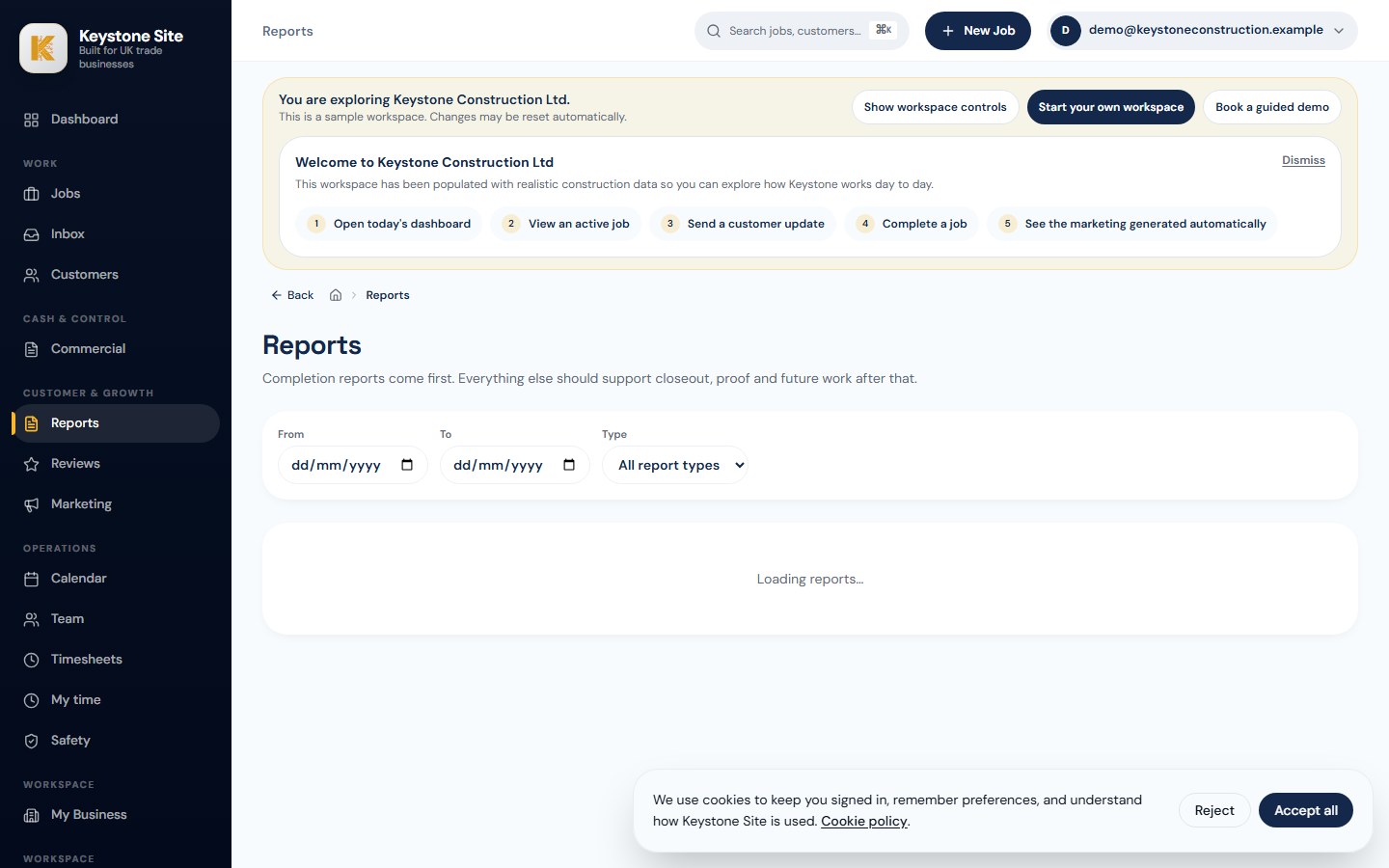
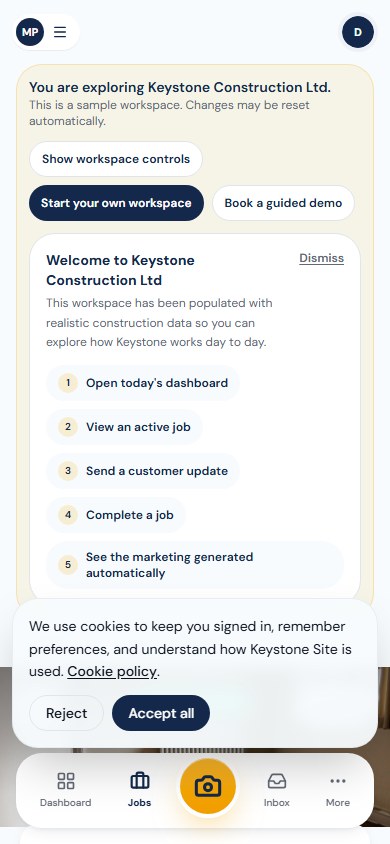
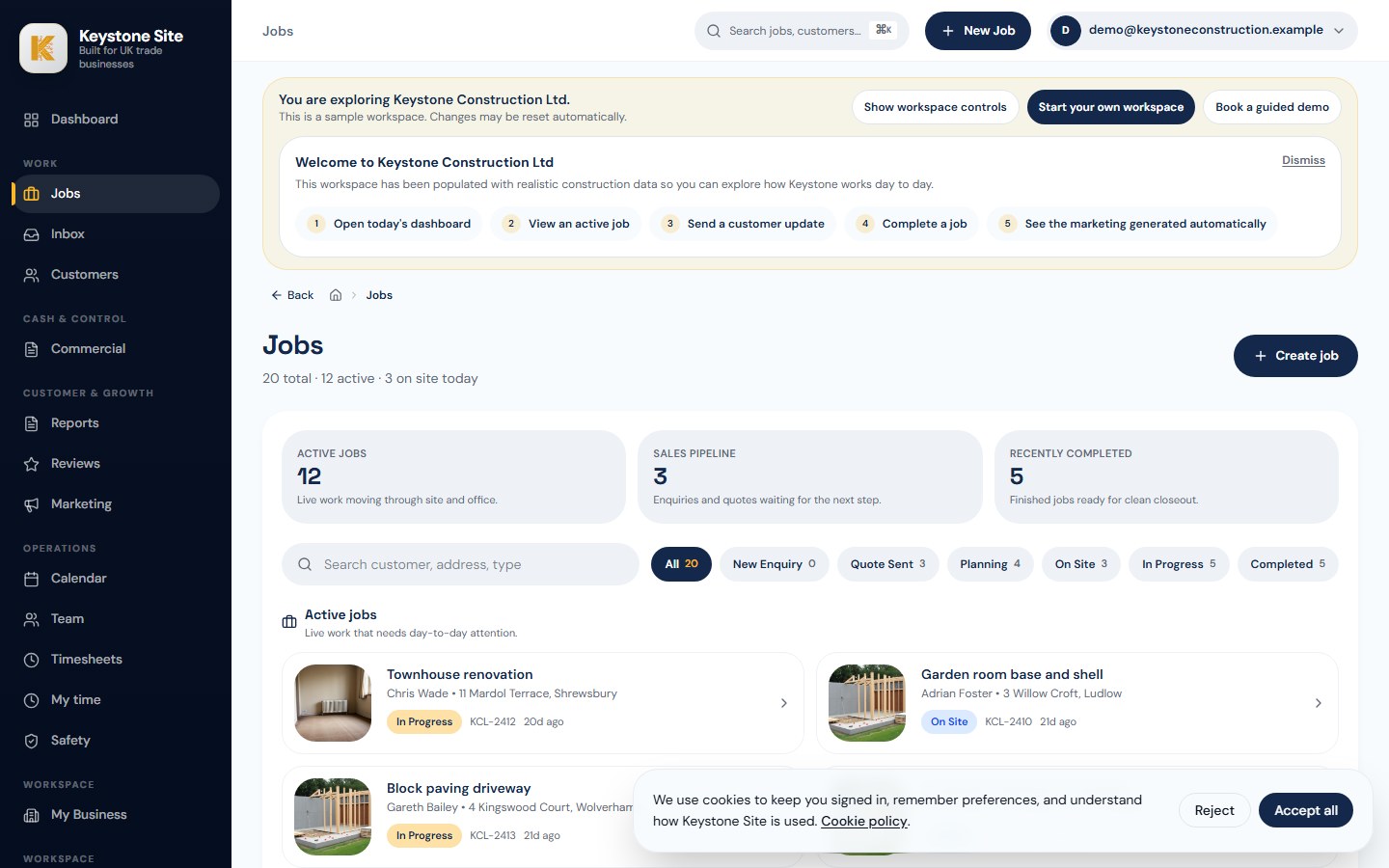
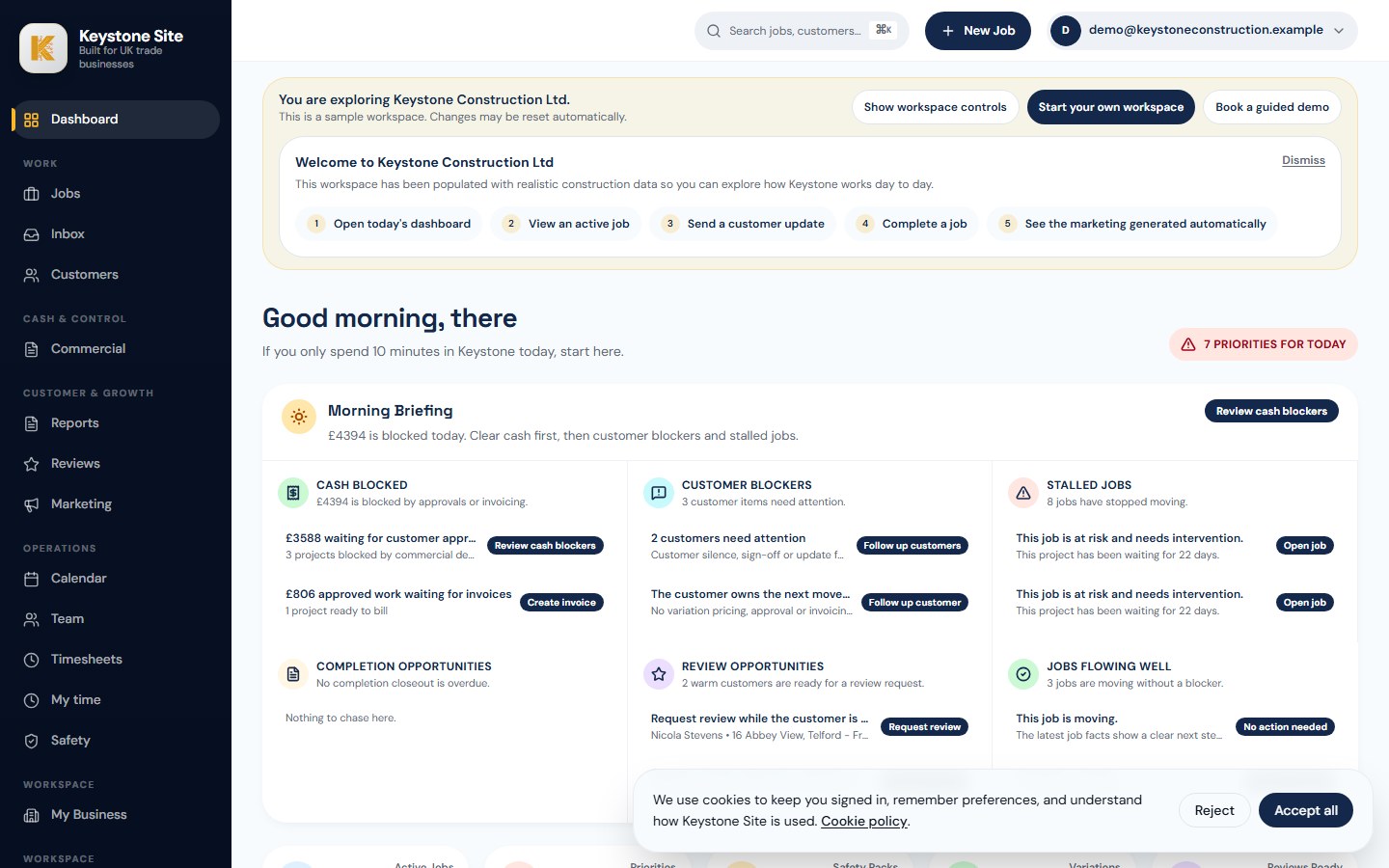
Dashboard, jobs, inbox, safety, reports, marketing — a look at what actually ships when you turn Keystone on.
The work is getting done. The problem is what happens afterwards: proof is buried, follow-up gets delayed and the office ends up rebuilding the story later.
Keystone gives every job one place for site capture, customer updates, sign-off and review follow-up, so finished work turns into usable proof instead of admin drag.
One job, one place. Capture, document, sign off and follow up — without adding more admin to the owner’s day.
One simple system for site capture, safety pack drafts, customer reports, sign-off and review follow-up — built for the way small builders actually work.
Photos, voice notes, timestamps, team updates and job details — all attached to the right job, from the phone in your pocket.
Project Safety Pack drafts, branded customer reports, timelines and sign-off records — assembled from what your crew already captured.
Send the report, capture approval and request a Google review — automatically, on your brand.
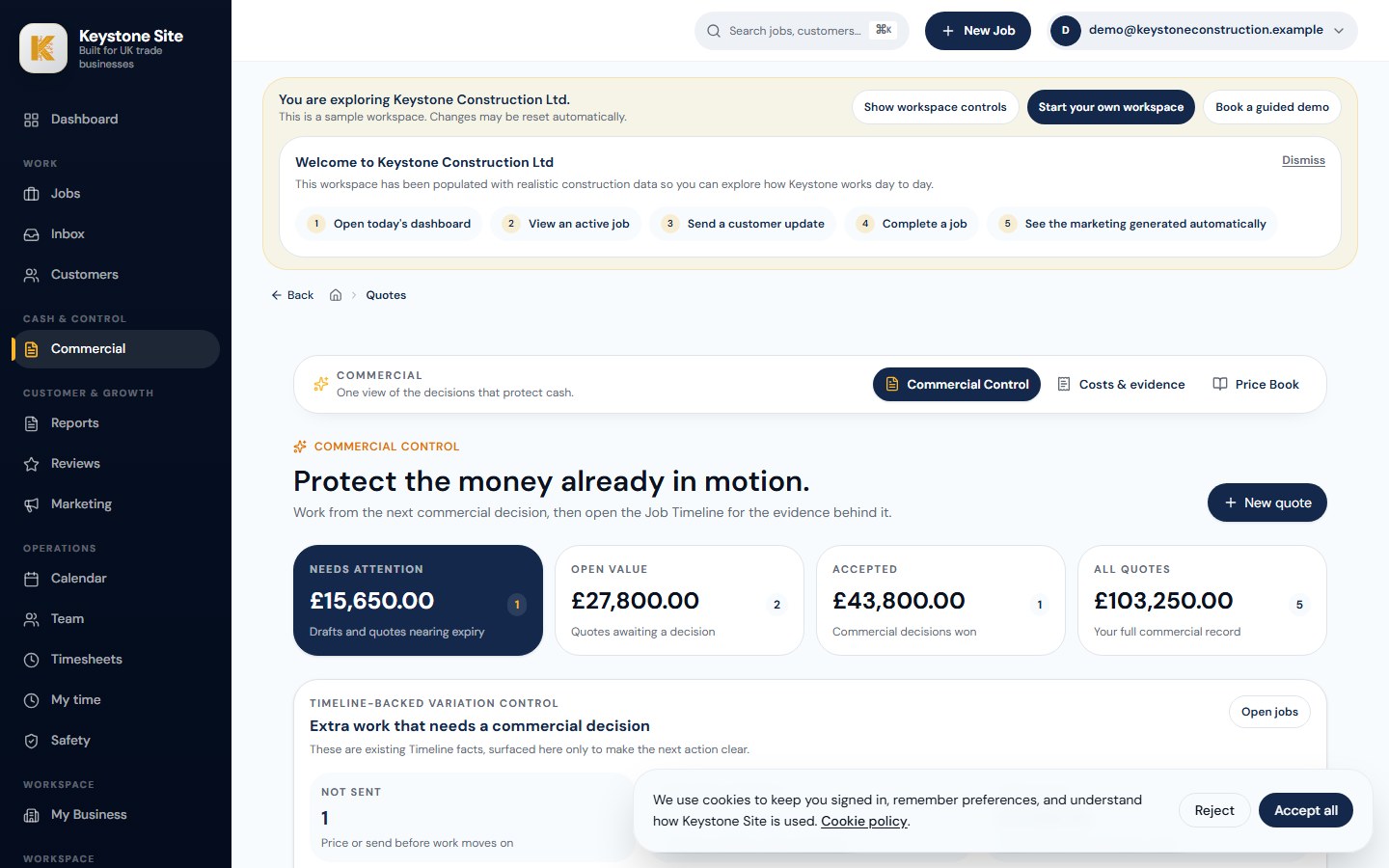
Quoting is live today: versioned quotes, frozen customer totals, VAT and margin context, validity dates and a clean hand-off into jobs and invoices. The next price-intelligence layer will use the invoices and receipts you save to build a price book that reflects what jobs cost you today.
Every merchant invoice, timber slip and van receipt gets scanned into your price book — line by line, supplier by supplier.
The AI keeps a running average of what materials and labour actually cost you — this month, this supplier, this trade — not last year's guess.
The next price-intelligence layer will use the invoices, receipts and job records you already keep to help you check future estimates against current supplier costs.
Your own job records should do more work for you. The next price-intelligence layer will build from the invoices and receipts you already save, so future estimates can reflect current supplier costs.
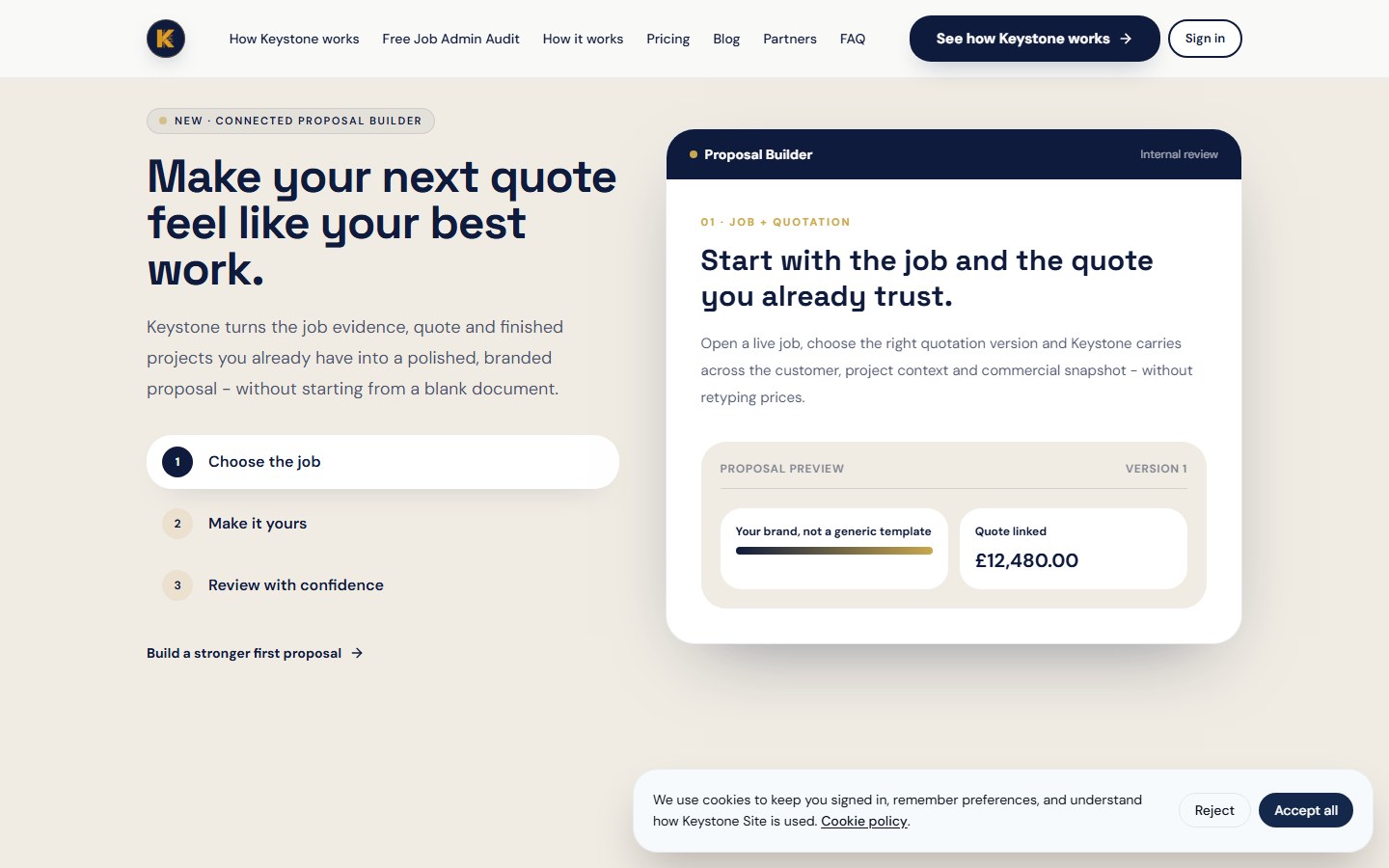
See the estimatorKeystone turns the job evidence, quote and finished projects you already have into a polished, branded proposal - without starting from a blank document.
Build a stronger first proposalOpen a live job, choose the right quotation version and Keystone carries across the customer, project context and commercial snapshot - without retyping prices.
One quiet system that ties every live job to a business outcome — from the first quote to the five-star review. Tap a pillar to see it.
Create versioned quotes with clear margin, VAT, validity dates and customer totals. When a quote is issued, Keystone freezes the exact customer-facing snapshot so the number you send is the number you can stand behind.

Keystone can help create draft safety pack content from the job information you already capture.
It does not replace your competent person, your judgement or your legal responsibilities. It gives your team a cleaner starting point, a more controlled process and a better record of what has been reviewed, updated and signed off.
Create a better starting point from structured job information — instead of copying old documents.
Make it easier for the right person to check, amend and approve before anything is issued.
Keep a clearer record of updates, changes and who reviewed what.
Connect safety pack drafts with the actual job, customer and site — not floating documents.

Full audit trail · revision history retained · competent-person sign-off

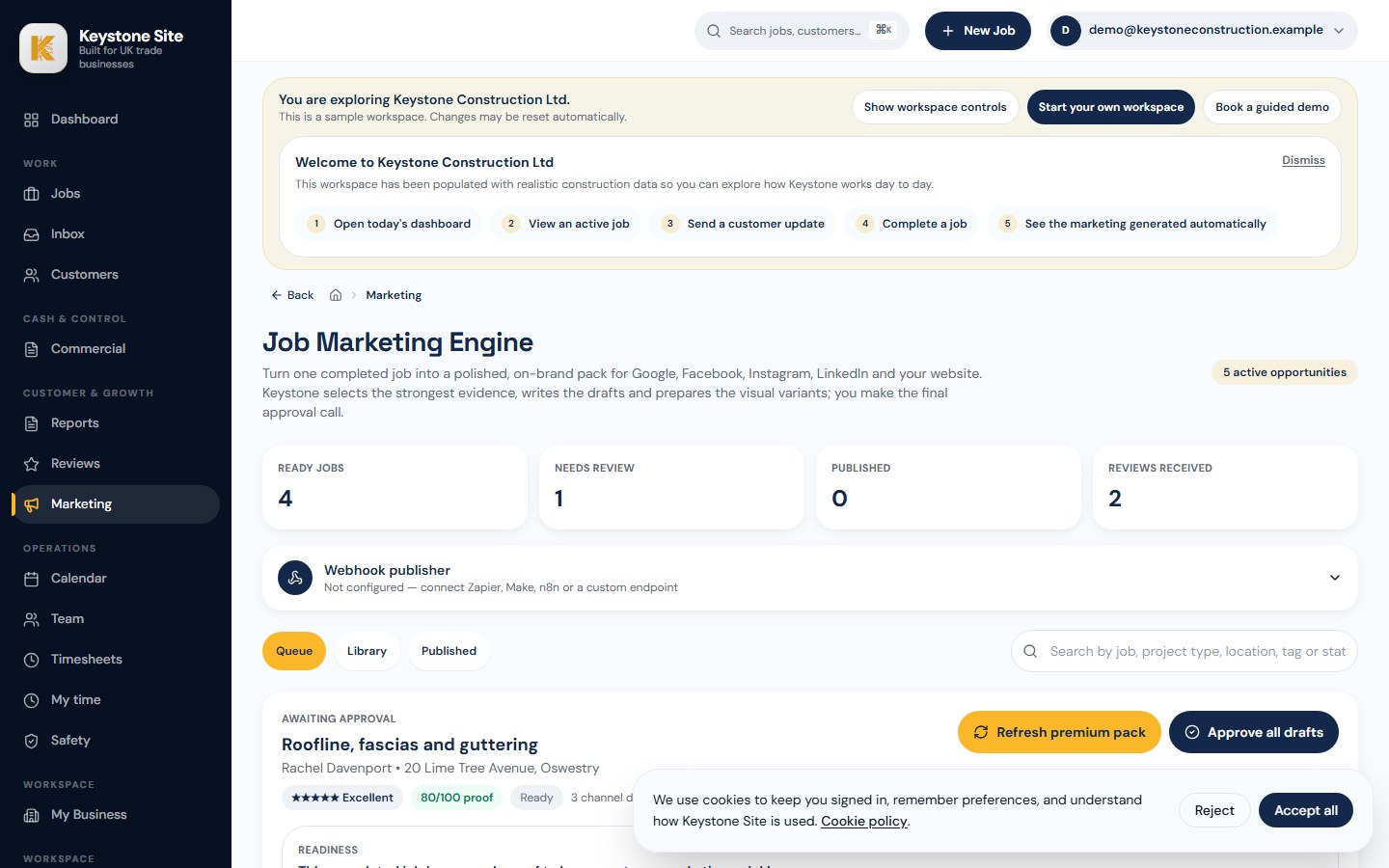
Review requests, profile posts and case-study drafts from one completed job.
Most builders finish good work, take a few photos, then move on to the next job. Keystone helps you turn that completed work into assets that support your local reputation.
Keystone does not guarantee rankings. It helps you create and organise the local reputation assets that support trust, visibility and enquiries.
Keystone Site has been shaped with feedback from working trade business owners who deal with live jobs, customer updates, paperwork, site proof and follow-up every day.
“We used to run every job out of WhatsApp — photos, measurements, customer messages, all of it. Half the time you couldn't find what you needed and nothing was in one place. With Keystone, every job has a proper record. The lads log what they've done from their phones, the office can see it straight away, and when a customer asks how things are going we've actually got something to send them.”

“What sold it for me was that it fits how builders actually work on site. It's not another admin system that sits on a laptop back at the office. The team capture photos and updates as they go, safety paperwork is drafted for me instead of me starting from a blank page, and completed jobs turn into something I can actually put in front of the next customer. It's taken a load of Sunday-evening admin off my desk.”

We built this for owners who count every pound. Look for fewer missed extras, fewer disputes and less time spent rebuilding job records.
Clear records make follow-up and approval easier.
Branded reports and an audit trail can reduce avoidable disputes.
Reports, photos and review follow-up help you look professional.
Most trade businesses do not notice the cost straight away. The damage shows up later.
Photos go missing. Customers chase updates. Variations become harder to prove. Safety documents take longer than they should. Completed jobs finish without reviews, sign-off or marketing content.
Keystone Site gives each job one clear record, so your team can capture the right information while the job is happening, not after everyone has forgotten the details.
You spend evenings piecing together photos, notes, messages and updates from different people.
Important evidence is buried in WhatsApp threads, camera rolls and old messages.
Customers do not always get a clean record of what has been done, which can delay completion.
Good jobs finish without review requests, customer feedback or Google-ready content.
The business owner becomes the memory bank for every job, every customer and every site issue.
The team adds site photos and progress updates as the job moves.
Everything is stored against the customer, site and job.
Structured job information helps create a better starting point.
The customer gets clearer proof of what was done.
Good jobs are turned into reviews instead of being forgotten.
Completed work becomes content for Google, social media and future customers.
Keystone is not trying to replace every tool in your business. It is designed to fix the messy gap between site activity, customer updates, job proof, safety pack drafts, sign-off, reviews and marketing follow-up.
Everything here is designed to keep site information, customer updates and job closeout in one place.

Keep site messages, decisions and photos with the job they belong to. Get mobile notifications on site and a clear inbox in the office.

Turn the job record into a branded completion report with the brief, work completed, photos, aftercare and a simple Google review link.

Add your company details, branding, crew and approval steps with a short setup that gets your first job ready quickly.

Keep customer details and job history together, then send updates from one place so important messages are easier to follow up.


Keystone Site is designed to be simple enough for site teams to use from a phone, but structured enough to help owners keep proper records.
It is not trying to replace your whole business overnight. It is designed to fix one of the biggest hidden problems in trade businesses: important job information being scattered across people, phones, messages and paperwork.
Book a 20-minute job review and we will map where your job information is getting lost, show you how Keystone would fit, and help you decide whether to try it on your next live job.
This is a practical look at how your jobs are captured, followed up and signed off.
No pressure. No hard sell. Just a clear view of whether Keystone fits your business.
Take the free WhatsApp Job Admin Audit to see where photos, updates, safety records, sign-off and review follow-up are being missed.
It takes around two minutes and gives you a practical score with clear next steps.
Take the free Job Admin Audit →Start with a 14-day free trial and help us make Keystone more useful for owner-led construction businesses.
Places are limited while we set up new businesses personally.
No card required. Close the tab to cancel.
Explore everything first. Then return whenever you are ready.
Core system: site capture, branded reports, customer portals, sign-off, reviews and work you can share. Project Safety Pack add-on: job-specific safety pack drafts, revision history, digital sign-offs and document storage. One subscription, your whole team. Cancel anytime. Prices exclude VAT.
We check it securely before sending you to Stripe. The code cannot be combined with another discount.
1 user only
For self-employed installers running their own jobs.
Up to 30 users
For small crews running multiple jobs at once.
31–60 users
For growing trade businesses with multiple teams on site.
61+ users
For larger contractors, multi-region teams, or businesses with custom integrations and procurement needs.
Secure checkout by Stripe · Prices exclude VAT (added at checkout) · Cancel anytime
Still wondering something? Email site@keystoneai.uk and you'll get a reply from the founder.
Yes — it is designed to work from a phone, including when the signal is poor. A crew member can capture a photo or voice note quickly, receive updates for assigned jobs and only see the work you give them.
No. Keystone handles the operational commercial loop — versioned quotes with frozen totals, jobs, safety packs, approved variations, invoices, customer sign-off and reviews. Invoices are delivered through Keystone’s connected customer communication service, while you can keep Xero or QuickBooks for your accounts.
You can start today on a job already underway. Import selected exported WhatsApp photos, documents and messages into that job only after reviewing them, then let the crew learn by doing. Most teams move the useful record into Keystone over the next two to three weeks rather than trying to stop WhatsApp overnight.
UK construction and trade businesses — extensions, roofing, joinery, renovations, groundworks, conservatories and fit-outs — that want clearer job records, stronger customer communication and less admin.
No. If you can use WhatsApp and a camera, you can run a job in Keystone. Onboarding is a 30-minute call with the founder.
Yes. 14 days, full access, no card required. Sign up, run a real job through it for a fortnight, and decide. If you do nothing at the end, the workspace simply pauses — we don't bill you in the background.
We'll email you a couple of days before it ends. If you want to keep going, you pick a plan and add a card. If you don't, the workspace pauses and your data is kept for 30 days in case you change your mind.
Most workspaces are live in under a minute. We pre-fill your company details from Companies House and walk you through branding, team invites and your first job in a 30-minute optional onboarding call.
No — Keystone sits alongside them. It handles the site-to-office bit: truthful quotes, jobs, safety packs, approved variations, customer updates, invoices, completion reports and reviews. Keep your existing accounts tools while Keystone keeps the commercial record connected to the job.
Keystone produces a project-specific Construction Phase Plan, RAMS and supporting documents using your inputs. Every pack must be reviewed and approved by a competent person in your business before it's issued — Keystone speeds up the drafting, you stay responsible for sign-off.
By branded email from your company (we use your logo, colours and domain via your messaging hub). Customers can sign off variations, approve completion reports and leave a review without creating an account.
It's your data. You can export all jobs, photos, reports and customer records at any time. We never sell or share your information.
Any modern phone, tablet or computer. Install the mobile app from your browser; it can keep working on site when the signal is poor and sync when you are back online.
Yes — book a 20-minute demo and the founder will walk you through it on a screen-share and answer anything specific to your business.
Start with the free audit if you want to understand your current process first.
Or explore the live demo, book a 20-minute job review, or start the 14-day free trial when you are ready to bring selected WhatsApp history into one existing job and carry on from there.
No card required. Pick the route that suits you.
Prefer to understand the problem first? Take the free Job Admin Audit.